
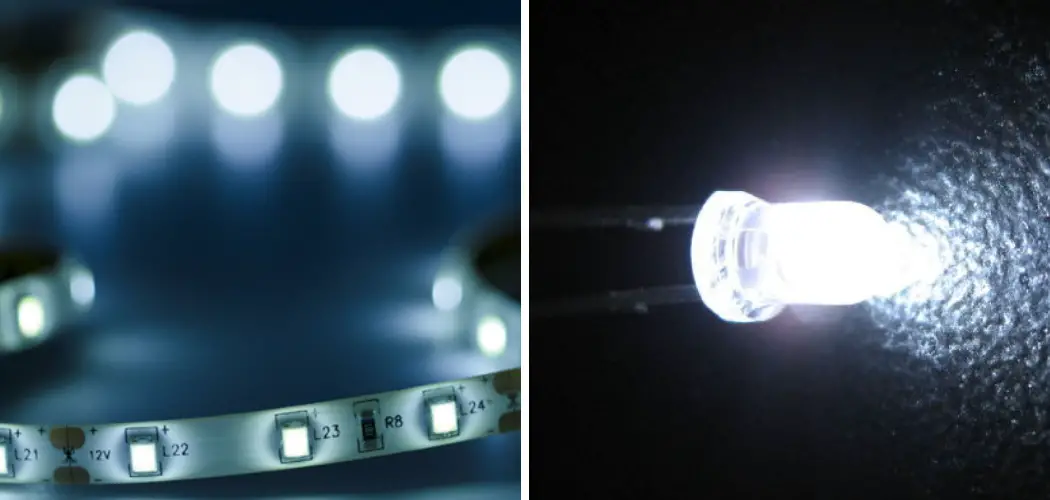
Have you ever set your colorful LED strips to white, only to end up with a weird pink, blue, or yellowish glow instead? You are not alone. Getting a clean, bright white from RGB lights trips up plenty of beginners, but the fix is easier than you think. Learning how to make white on LED lights means understanding how your strip mixes colors and which settings actually produce a true white shade. Whether you want a cozy warm white for movie night or a crisp cool white for studying, the right approach makes all the difference.

The good news is you do not need any special skills or tools to get there. With your remote, app, or controller in hand, you can dial in the perfect white in just a few minutes. This guide breaks the whole process into simple, friendly steps anyone can follow. By the end, you will know exactly how to get that clean white glow every single time.
Why Making White on LED Lights Matters
White light sets the mood and purpose of any room, which is why getting it right matters so much. A clean white helps you read, work, and see colors accurately, while warm white creates a relaxing, homey feel. When your strip shows a tinted or off-color white instead, it can strain your eyes and throw off the entire vibe of your space.
Beyond looks, mastering white lighting helps you get the most from your LED investment. Many people assume their strips are broken when white looks muddy, when really it just needs adjusting. Knowing how to control the color empowers you to switch between bright daylight tones and soft evening glows with confidence. That flexibility means one set of lights can serve many needs, saving you money and giving every room exactly the atmosphere you want.
Step-by-Step Guide to How to Make White on Led Lights
Step 1: Check What Type of LED Strip You Have
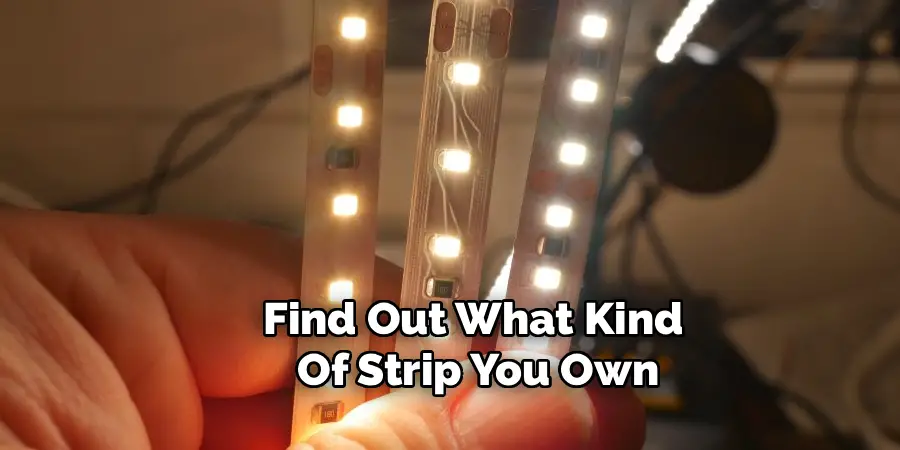
Before you adjust anything, find out what kind of strip you own, because this shapes everything that follows. Some strips are RGB, meaning they mix red, green, and blue to create colors. Others are RGBW or RGBWW, which include a dedicated white diode for cleaner results. Look at the box, the strip label, or the app to confirm your type. RGB strips create white by blending all three colors, while RGBW strips simply switch on their built-in white chip. Knowing this saves you frustration later, since each type reaches white differently. Take a moment here, and the rest of the steps will feel far simpler and more rewarding.
Step 2: Power Up and Connect Your Controller
Plug in your strip and make sure your controller, remote, or app is ready to go. If you use a remote, pop in fresh batteries so the signal stays strong. For app-controlled strips, open the application and confirm your phone is connected to the light over Bluetooth or Wi-Fi. A weak connection often causes commands to lag or fail, leaving you guessing whether a setting worked. Test the link by switching the lights on and off once. When everything responds smoothly, you are set to start adjusting colors. This quick check takes seconds and prevents the common mix-up of blaming the strip when the real issue is a dropped connection.
Step 3: Try the Dedicated White Button First
Most remotes and apps include a white button, and this is the fastest path to a clean glow. Press it and see what happens. On RGBW strips, this activates the true white diode, giving you a crisp, neutral white instantly. On simple RGB strips, the white button blends red, green, and blue at full power to mimic white. This is the easiest way to make white on LED lights without fiddling with custom settings. If the result looks good to your eye, you are done. If it leans slightly pink, blue, or yellow, do not worry. The next steps show you how to fine-tune that tint into something cleaner.

Step 4: Mix Custom Colors for True White
If the preset white looks off, you can build your own using the color settings. Open the custom color or RGB value option in your app. To create white, set all three channels to their maximum, usually red at 255, green at 255, and blue at 255. This equal blend produces a balanced white on most strips. If your strip leans warm, lower the blue slightly. If it looks too cold, ease back the blue and bump up the red and green. Adjusting these values by small amounts lets you sculpt the exact shade you want. Play around gently, and you will land on a white that feels just right for your space.
Step 5: Adjust the Brightness Level
Brightness changes how white actually appears, so this step matters more than people expect. A white set too dim can look gray or muddy, while one at full power may feel harsh and slightly blue. Use your brightness slider or remote buttons to find a comfortable middle ground. For relaxing evenings, dial it down for a soft, gentle white. For tasks like reading or cooking, push it higher for a clear, bright light. Test the look against your wall or ceiling, since reflections shift how the color reads. This small tweak often turns an average white into one that feels polished and intentional throughout the room.

Step 6: Fine-Tune Warm and Cool Tones
Many strips and apps offer a warmth slider or color temperature setting, and this is where you truly make white on LED lights match your mood. Slide toward warm for a cozy, candle-like glow that suits bedrooms and living rooms. Slide toward cool for a bright, daylight feel that works well in offices and kitchens. If your strip only uses RGB values, you can recreate these tones by nudging the colors yourself. Warmer whites need a touch more red, while cooler whites lean on stronger blue. Experiment until the temperature feels natural for the time of day and the activity you have in mind.
Step 7: Save Your Favorite White Setting
Once you find a white you love, save it so you never have to start over. Most apps let you store custom scenes or presets with a single tap. Name it something clear, like “Reading White” or “Cozy Evening,” so you can recall it instantly. For remote-only strips, simply note the button sequence or color values you used. Having a saved setting turns a one-time effort into a lasting convenience. Next time you want that perfect glow, it is just a click away. This final step locks in your hard work and makes everyday use smooth, quick, and completely stress-free.

Frequently Asked Questions
Why Do My LED Lights Look Pink Instead of White?
A pink tint usually means your red channel sits higher than green and blue. This happens often on RGB strips where the colors are not perfectly balanced. To fix it, open your custom color settings and lower the red value or raise green and blue slightly. Adjust in small steps and watch the change in real time. Within a minute or two, you should land on a much cleaner, more neutral white.
Can RGB Strips Make a True White Color?
Yes, but with a small catch. RGB strips create white by blending red, green, and blue at full strength, which gives a decent white for most uses. However, it rarely matches the pure white of strips with a dedicated white diode. If you need a flawless, neutral white, an RGBW or RGBWW strip is the better choice. For casual lighting and general ambiance, a well-balanced RGB white works perfectly fine and looks great.
What Is the Difference Between Warm and Cool White?
Warm white has a soft, yellowish glow, similar to a traditional bulb or candlelight, making it cozy and relaxing for bedrooms and lounges. Cool white leans toward a crisp, slightly blue daylight tone that feels energizing and clear. It suits kitchens, offices, and study areas well. Many strips let you slide between the two, so you can match your lighting to the time of day and the mood you want.
Why Does My White Look Dimmer Than Other Colors?
White can appear dimmer because it combines all three color channels working together, which sometimes draws more power and spreads the output. On some strips, this leads to a softer glow compared to a single bold color like red or blue. Try raising the brightness slider to compensate. If your strip supports it, switching to the dedicated white diode usually delivers a brighter, more even result than blended RGB white.
Will Adjusting the Color Settings Damage My LED Strip?
Not at all. Changing colors, brightness, and white tones is exactly what your strip is built to do, so feel free to experiment freely. The diodes are designed to handle constant adjustments without harm. The only real wear comes from running lights at maximum brightness for very long stretches, which is normal aging rather than damage. So play around, test different whites, and find your favorite look with total peace of mind.
Conclusion
Getting a clean, beautiful white from your LED strips comes down to understanding your setup and making a few simple adjustments. Start by identifying your strip type, then try the preset white button before fine-tuning with custom colors, brightness, and warmth. Each small tweak brings you closer to the exact shade that fits your room and your mood. Saving your favorite setting means you can recreate that perfect glow anytime with ease.
Now that you know how to make white on LED lights, you have the confidence to switch between cozy warm tones and crisp cool light whenever you please. So grab your remote or open your app, try out these steps, and enjoy the satisfaction of dialing in flawless white lighting. Your space is about to look brighter, cleaner, and exactly the way you want it.

Rick is a handyman who grew up helping his dad with his business. He learned a lot from him about how to fix things, and also about how to work hard and take care of business. These days, Rick is still into fixing things- only now, he’s doing it for a living.
Rick is always looking for new ways to help people grow and develop. That’s why he started contributing to this blog: to share all his experience and knowledge so that he can help people who are interested in DIY repair.