

Your garage door opener is a key part of your home’s daily convenience and security.

But what happens when you need to reset it? Whether you’ve lost a remote, are moving into a new home, or simply want to enhance your security, knowing how to deprogram your garage door opener is a valuable skill. Deprogramming simply means erasing the memory of all synced remotes and keypads from the main motor unit. This action forces you to relink any devices you wish to continue using, effectively giving you a clean slate.
How to deprogram a garage door opener is a straightforward process that puts you back in control of who has access to your garage.
What are the Benefits?
Resetting your garage door opener’s memory comes with several significant advantages. The most important benefit is enhanced security. If you’ve lost a remote or given a code to a temporary guest, deprogramming ensures those old signals can no longer open your door. This is also critical when you move into a new property, as it prevents previous owners or tenants from retaining access.
Deprogramming can also be a simple troubleshooting step. If your remote is acting erratically or not working correctly, clearing the opener’s memory and re-pairing the device can often resolve connectivity issues. Finally, it allows you to manage access effectively, ensuring only your currently approved remotes and keypads are functional.
What Will You Need?
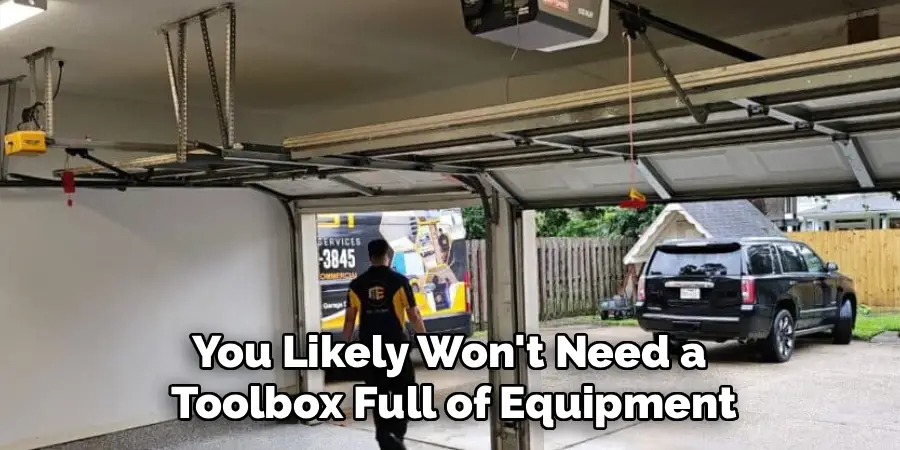
You likely won’t need a toolbox full of equipment. For most garage door opener models, the only things you’ll require are:
- A sturdy stepladder to safely reach the motor unit.
- The user manual for your specific garage door opener model (if available).
- All the remotes and keypads you intend to re-sync after the process.
10 Easy Steps on How to Deprogram a Garage Door Opener
Erasing your garage door opener’s memory is usually a quick process that involves pressing a single button. While the exact location of this button may vary by brand (such as LiftMaster, Chamberlain, or Genie), the fundamental steps are quite similar. Follow this detailed guide to clear your system and start fresh.
Step 1: Ensure Safety First
Before you begin any work on your garage door opener, safety must be your top priority. Make sure the garage door is fully closed. This prevents it from accidentally activating and causing injury or damage while you are working on the motor unit. You should also clear the area around the door, removing any cars, bikes, tools, or other obstacles. This gives you a safe and clear workspace. Check that your stepladder is stable and placed on level ground before you attempt to climb it. It’s also a good practice to let others in your household know that you will be working on the garage door so they don’t try to operate it.

Step 2: Locate the Motor Unit
The motor unit is the heart of your garage door opener system. It’s the large box, usually made of plastic or metal, that is mounted to the ceiling of your garage. This unit houses the motor, logic board, and the light that typically turns on when the door is activated. It is connected to a track that runs from the motor to the wall above the garage door. All the programming and operational commands are processed within this unit, making it the central point for both deprogramming and reprogramming your remotes. You will need your stepladder to access it safely.
Step 3: Find the “Learn” Button
The “Learn” button is the key to deprogramming your opener. This small button is what the system uses to enter programming mode, which allows it to sync with new remotes or, in this case, erase its memory. The button’s appearance and location can differ between manufacturers. It is often a small, square, or round button, and it may be colored red, orange, purple, green, or yellow. You can usually find it on the back or side panel of the motor unit, sometimes near an antenna wire or a small LED indicator light. On some older models, you might need to remove a light cover or a side panel to access it.
Step 4: Press and Hold the “Learn” Button
Once you have located the “Learn” button, you are ready to deprogram the unit. This is the most critical step in the process. Carefully press and hold down the “Learn” button. Do not just press and release it, as a short press is typically used to add a new remote. You need to keep the button held down for several seconds. The exact amount of time can vary, but a good rule of thumb is to hold it for about 6 to 10 seconds. You are waiting for a specific signal from the opener that indicates the memory has been erased.
Step 5: Watch for the Confirmation Signal
As you hold the “Learn” button, keep an eye on the small LED light located next to it. This light will often turn on and stay lit as soon as you press the button. After you have held the button for the required amount of time (around 6-10 seconds), this LED light will turn off or blink. This change is your confirmation signal. It tells you that the opener’s internal memory, where all the remote codes were stored, has been successfully wiped clean. Releasing the button after you see this signal completes the deprogramming process.
Step 6: Release the “Learn” Button
Immediately after you see the confirmation signal—the LED light turning off or blinking—you should release the “Learn” button. Holding it for too long after the memory has been cleared is unnecessary and, on some models, could cause confusion or enter a different diagnostic mode. Releasing the button finalizes the memory wipe. At this point, the garage door opener has no remotes or keypads synced to it. It is effectively a blank slate, ready for you to reprogram the devices you want to use.

Step 7: Test an Old Remote
To be certain that the deprogramming was successful, grab one of your old remotes—one that you know was working just minutes before. Stand a safe distance away from the door and press the button you would normally use to open it. If the deprogramming worked correctly, nothing should happen. The garage door should not move or make any sound. This test confirms that the remote’s signal is no longer recognized by the motor unit. If the door still opens, it means the memory was not cleared, and you should repeat steps 4 through 6.
Step 8: Reprogram Your Desired Remotes
Now that the opener’s memory is clear, you need to re-link the remotes you actually want to use. To do this, press and release the “Learn” button on the motor unit one more time. This time, do not hold it down. A quick press will cause the LED indicator light to turn on and stay lit for about 30 seconds. While it is lit, press the button on the remote you want to program. You should see the opener’s main lights flash or hear a clicking sound, which confirms the remote has been successfully paired.
Step 9: Re-Sync Your Keypad and Other Devices
Don’t forget about any wireless keypads or built-in car remotes (like HomeLink). These devices also need to be re-synced. For a keypad, you will typically enter your desired PIN and then press the “Learn” button on the motor unit according to the manufacturer’s instructions. For car-based systems, you will follow a similar process of pressing the “Learn” button on the opener and then pressing the designated button inside your vehicle. Repeat the reprogramming process for every device you want to grant access to your garage.
Step 10: Perform a Final Test
After you have reprogrammed all your desired remotes and keypads, perform one last series of tests to ensure everything is working as it should. Use each newly programmed remote to open and close the garage door. Test your wireless keypad by entering the code. Make sure the door operates smoothly and responds to every device. This final check guarantees that your system is secure, fully functional, and ready for regular use again.
5 Things You Should Avoid
- Skipping the Safety Check: Never work on the motor unit without ensuring the door is closed and the area is clear.
- Forgetting to Test: Don’t assume the deprogramming worked. Always test an old remote to confirm it has been disconnected.
- Pressing the “Learn” Button Too Briefly: A short press adds a remote; a long press erases. Confusing the two can lead to frustration.
- Not Having Your Remotes Ready: Have all the remotes you plan to use nearby. The reprogramming window after pressing the “Learn” button is often only 30 seconds.
- Ignoring the Manual: While most openers are similar, your model may have unique quirks. Consulting the manual can save you time and prevent mistakes.
Conclusion
Deprogramming your garage door opener is a simple yet powerful way to manage your home’s security.
By erasing old codes and re-syncing only the devices you trust, you take full control over who has access to your garage. This process is not only useful for security but also serves as an effective troubleshooting method for remote-related issues.
By following these steps on how to deprogram a garage door opener, you can confidently reset your system and ensure it operates safely and securely for years to come.

About
Angela is the chief editor of Indoorense. She began her career as an interior designer before applying her strategic and creative passion to lifestyle and home.
She has close to 15 years of experience in creative writing and online content strategy for housekeeping and cleaning,home decorations as well as other efforts.
She loves her job and has the privilege of working with an extraordinary team. She lives with her husband, two sons, and daughter in Petersburg. When she’s not busy working she spent time with her family.