

A hat light is a small, handy lamp that clips onto or builds into the brim of your cap, lighting up whatever you’re looking at without filling your hands with a flashlight. The “ROHS” label simply means it meets safety rules that limit harmful materials, so you know the product is built responsibly. These little lights are perfect for night walks, fishing, reading, camping, or fixing things in tight, dark corners.

If you just got one, you might wonder how to charge ROHS hat light units the right way so they last for years. The good news is that the process is simple, and you don’t need any special skills. Most of these caps use a rechargeable battery and a basic USB cable, so topping them up feels a lot like charging your phone. In this guide, we’ll walk through everything step by step, share why proper charging matters, and answer the questions beginners ask most. By the end, you’ll feel completely confident keeping your light bright and ready whenever you need it.
Why Charging Your Rohs Hat Light Correctly Matters
Charging your hat light the right way protects both the battery and your wallet. Rechargeable batteries last for hundreds of cycles, but only when you treat them well. Overcharging, using the wrong cable, or letting the battery drain to zero too often can shorten its life and leave you with a dim, unreliable light far sooner than expected.
There’s also a safety side to think about. A properly charged battery stays cool and stable, while a mishandled one can swell or overheat. Doing it correctly means your light is always ready when you head out the door, whether for an early morning hike or a late repair job. You also save money by avoiding replacements and reduce waste, which is better for the planet. A few good habits now keep your cap glowing reliably for a very long time.

Step-by-Step Guide to How to Charge Rohs Hat Light
Step 1: Find the Charging Port
Start by locating the charging port on your cap. On most models, it hides under a small rubber flap along the inside brim or near the battery housing at the back. This flap keeps out sweat, dust, and rain, so gently peel it back rather than yanking it. The port is usually a micro-USB or USB-C connector, similar to what you’d see on everyday gadgets. Take a moment to look closely in good lighting, because the port can be tiny and easy to miss. Once you know exactly where it sits, the rest of the process becomes quick, simple, and stress-free every single time.
Step 2: Use the Correct Cable
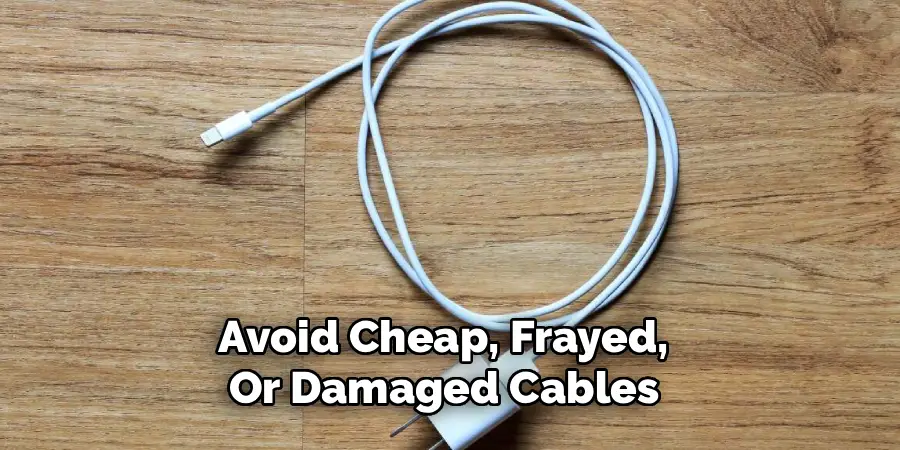
Grab the cable that came in the box with your light. Matching the right connector to your port matters because forcing the wrong plug can bend pins or damage the socket. If you’ve lost the original cable, any standard micro-USB or USB-C cable of good quality will do the job, as long as it fits snugly. Avoid cheap, frayed, or damaged cables, since these can deliver unstable power that harms the battery over time. A clean, well-made cable ensures a steady, safe flow of electricity. This small detail protects your investment and keeps every charging session smooth and worry-free from start to finish.
Step 3: Connect to a Safe Power Source
Plug the other end of the cable into a reliable power source. A laptop USB port, a phone wall adapter, or a powered USB hub all work well for this task. When you charge ROHS hat light units, stick to low-output adapters rather than fast-charging bricks meant for big devices, because gentle power suits these small batteries far better. Avoid sketchy or unbranded chargers that promise super-fast results, as they can push too much current. A steady, moderate source keeps the internal battery cool and healthy. Once connected, you should see an indicator light switch on, confirming that power is flowing correctly into your cap.
Step 4: Watch the Indicator Light
Nearly every hat light includes a small status light that tells you what’s happening inside. In most cases, a red glow means charging is in progress, while green or blue signals a full battery. Some models slowly pulse or fade to show their progress. Keep an eye on this indicator during the first few charges so you learn your specific cap’s signals. If the light never turns on, gently wiggle the cable or try a different port, since a loose connection is often the culprit. Understanding these simple color cues takes the guesswork out of the process and helps you avoid both under and overcharging.

Step 5: Allow Enough Charging Time
Patience pays off here. Most caps need roughly two to three hours to reach a full battery from empty, though smaller units may finish sooner. Resist the urge to unplug early, as a complete charge gives you the longest runtime out in the field. Knowing how to charge ROHS hat light models properly also means not leaving them plugged in overnight or for days at a time. Once the indicator shows a full battery, disconnect it promptly. Leaving it connected long after it’s done generates unnecessary heat and slowly wears the cells down. Setting a simple timer or reminder makes this habit effortless to follow.
Step 6: Disconnect and Close the Port
When charging finishes, unplug the cable gently by gripping the connector rather than tugging the cord. Pulling on the wire itself can loosen the port over time and lead to a wobbly, unreliable connection. After removing the cable, press the rubber flap firmly back into place over the port. This seal is your light’s main defense against moisture and grime, especially if you use your cap outdoors in damp or dusty conditions. A properly closed flap keeps the internal electronics dry and working perfectly. This quick final step is easy to forget, yet it plays a big role in your light’s long-term durability.
Step 7: Test and Store Properly
Switch on your light to confirm everything worked. A bright, steady beam tells you the battery is full and ready for action. If the glow seems weak, plug it back in and let it finish a complete cycle. When you’re not using the cap, store it somewhere cool and dry, away from direct sunlight and extreme heat. If you plan to leave it unused for several weeks, charge it to about half capacity first, since storing batteries either full or empty for long stretches can reduce their lifespan. These simple storage habits keep your hat light dependable and bright every time you reach for it.

Frequently Asked Questions
How Long Does a Hat Light Take to Fully Charge?
Most rechargeable hat lights need about two to three hours to reach a full battery from empty. Smaller units with lower-capacity batteries may finish in just over an hour, while larger ones can take a little longer. Always check the indicator light, since it tells you exactly when the battery is full. Avoid leaving it plugged in well past that point, because extra time on the charger only adds heat and wear.
Can I Use Any USB Charger for My Hat Light?
You can use most standard USB chargers, but pick one with a low or moderate output rather than a powerful fast-charging brick. These small batteries charge best with gentle, steady power. A laptop port or a basic phone adapter works wonderfully. Steer clear of unbranded or damaged chargers, as they can deliver unstable current that harms the battery. Matching your light with a quality, reliable power source keeps every charge safe and extends the battery’s overall life.
Why Is My Hat Light Not Charging?
A few common issues usually cause this. First, check that the cable sits firmly in both the light and the power source, since loose connections are the top culprit. Next, try a different cable or USB port to rule out a faulty one. Inspect the port for dust or lint and clean it gently if needed. If the indicator still won’t light up after these checks, the battery may have reached the end of its life.
Is It Safe to Leave My Hat Light Charging Overnight?
It’s best to avoid leaving it plugged in overnight. While many modern lights include protection circuits, extended charging after the battery is full creates unnecessary heat that slowly wears the cells down over time. Charging during the day, when you can keep an eye on the indicator, is far safer and healthier for the battery. Unplugging promptly once it shows a full charge helps your light stay reliable and last for many more years.
How Do I Make My Hat Light Battery Last Longer?
Good habits make a real difference. Charge it with a gentle, quality power source and unplug it once it’s full rather than leaving it connected for hours. Try not to drain the battery completely to zero on a regular basis. Store the cap in a cool, dry spot away from heat and direct sun. For long-term storage, keep the battery at roughly half capacity. These small steps protect the cells and keep your light bright for the long haul.
Conclusion
Keeping your cap glowing is genuinely simple once you understand the basics. Find the charging port, use the right cable, connect to a safe and steady power source, and watch the indicator light to know exactly when the battery is full. Disconnect promptly, seal the port against moisture, then test and store your light with care. Each of these small habits adds up to a brighter, longer-lasting light you can count on whenever the dark sets in.
Now that you know how to charge ROHS hat light units the right way, you can head out with total confidence on every night walk, fishing trip, or repair job. Treat your battery gently, follow these easy steps, and your hat light will reward you with years of reliable service. So grab your cable, give your cap a proper charge, and get ready to light up whatever comes next.

Rick is a handyman who grew up helping his dad with his business. He learned a lot from him about how to fix things, and also about how to work hard and take care of business. These days, Rick is still into fixing things- only now, he’s doing it for a living.
Rick is always looking for new ways to help people grow and develop. That’s why he started contributing to this blog: to share all his experience and knowledge so that he can help people who are interested in DIY repair.